Understanding DNS: The Internet's Phone Book
Have you ever wondered how typing a website address magically takes you to the right page? Behind the scenes, a vital system called DNS (Domain Name System) makes this possible. Think of DNS as the internet's address book — a translator that connects human-friendly URLs like www.graphitedge.com.au to the numerical IP addresses computers understand.
What is DNS?
DNS stands for Domain Name System. It's essentially a network of servers that translate domain names (like graphitedge.com.au) into IP (Internet Protocol) addresses, which are strings of numbers that identify devices on a network. For example, the IP address for a website might look like 192.168.1.1 or, in modern cases, a longer string like 2606:4700:4700::1111 (IPv6).
Why Do We Need DNS?
DNS solves a fundamental problem of accessibility. While computers rely on IP addresses to locate each other on the internet, these addresses are difficult for humans to remember. Without DNS, you'd need to memorize complex number sequences for every website you want to visit.
How Does DNS Work?
The DNS Resolution Process:
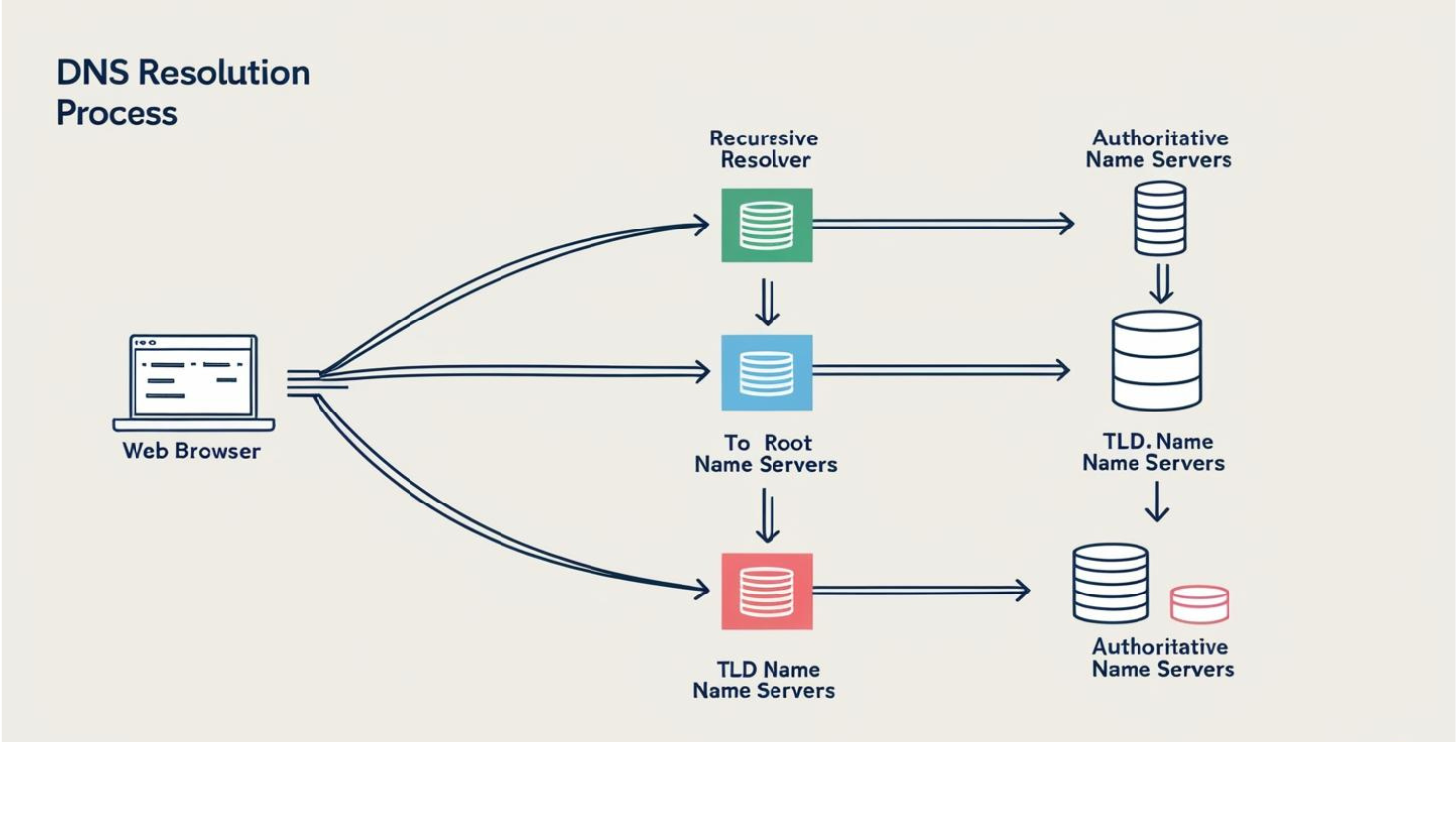
- You Type a URL into Your Browser
When you enter a URL, your browser first checks if it already knows the IP address (caching).
- Querying a Recursive Resolver
If not cached, your browser asks a DNS resolver (usually provided by your ISP).
- Contacting the Root Servers
The resolver asks one of the 13 sets of root servers worldwide.
- Asking the TLD Servers
TLD servers manage domain extensions like .com, .org, or .au.
- Getting the Final Answer
The authoritative server provides the IP address to load the website.
Why Should You Care About DNS?
- Performance: Using fast DNS services can improve browsing speed
- Security: Protection against DNS spoofing and other attacks
- Reliability: Backup DNS providers ensure consistent access
- Privacy: Privacy-focused DNS services protect your browsing data
Best Practices: Use reliable DNS providers, configure backup DNS servers, implement DNS caching, keep local DNS records for critical services, and monitor DNS health regularly.
Stay Ahead of Web Development Trends
Join our newsletter and receive:
- Monthly development tips & tricks
- In-depth tutorials and guides
- Early access to new content