Website Care and Feeding Checklist
A practical checklist for weekly, monthly, quarterly, update, and emergency website maintenance.
Start Here
Use this checklist to keep a website healthy after launch.
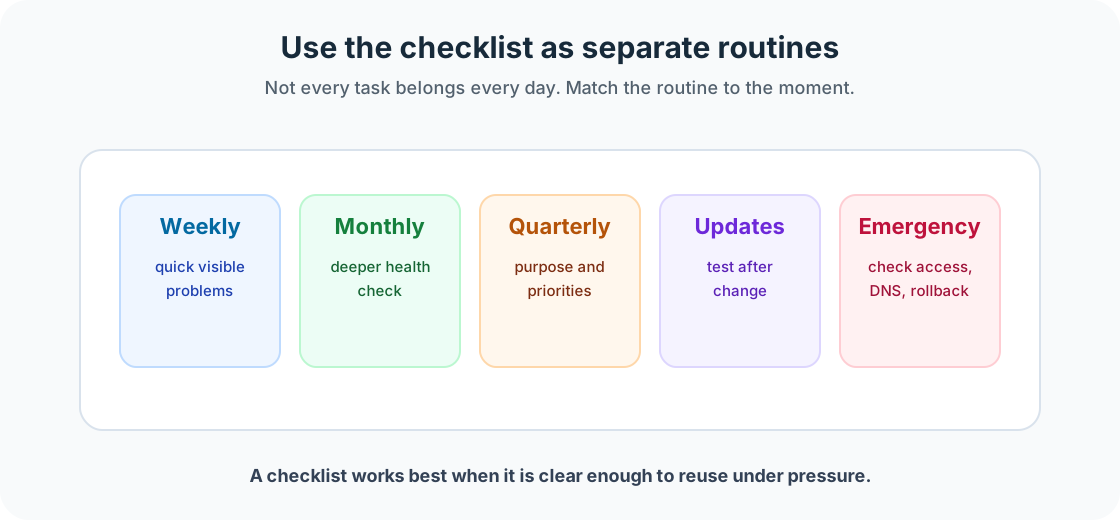
You do not need to do every task every day. Use the weekly, monthly, quarterly, update, and emergency sections as separate routines.
- What part of this site would matter most if it broke?
- Where would you look first if the live version behaved differently from your local version?
This section follows deployment because launch is the start of a live website's working life, not the end of the project.
This resource-style lesson gives you a practical checklist you can download, adapt, and use with a small website.
Learning Objectives
By the end of this lesson, you'll be able to:
- Use a weekly website check routine
- Use a monthly website health check routine
- Review a site quarterly
- Test a site after major updates
- Follow a basic emergency response process
Why This Matters:
Website maintenance turns launch into a repeatable, calm workflow. These checks help you protect trust, usability, findability, and recovery options without overcomplicating beginner site care.
Before You Start:
You should be familiar with:
- Getting a Website Online Review here
- Test and Validate Your Site Review here
Downloadable resource
Weekly Quick Check
Use this once a week.
- Homepage loads correctly
- HTTPS is working
- Main navigation works
- Important pages load
- Contact page works
- Forms have been tested
- Notification emails arrive
- Mobile layout checked
- Images are loading
- No obvious broken layout
- Analytics are still collecting data
- Any issues are recorded clearly
Monthly Website Health Check
Use this once a month. Check content, links, forms, images and files, SEO, accessibility, mobile, performance, analytics, and backups.
Useful notes to capture: month, checked by, key findings, issues to fix, and improvement chosen.
Quarterly Website Review
- Review the site purpose
- Review the homepage message and main navigation
- Review top-performing pages and underperforming important pages
- Remove outdated content and refresh stale content
- Check service or product information and brand consistency
- Review accessibility improvements, SEO opportunities, and analytics trends
- Review hosting costs, domain renewal dates, backup process, and admin access
- Plan next improvements
After Every Major Update
Use this after content, code, plugin, theme, dependency, hosting, DNS, or deployment changes.
- Homepage loads
- Navigation works
- Important pages load
- Forms tested
- Mobile layout checked
- Images checked
- Console checked for obvious errors
- Build or deployment logs checked
- Analytics still working
- SEO metadata still present
- Accessibility basics checked
- Previous version or rollback option confirmed
- Update notes recorded
Emergency Checklist
First, stay calm. Then check whether the site is down for everyone or just you, whether it loads in another browser, another device, or mobile data, whether the hosting provider reports an outage, whether the domain is active, whether DNS and SSL are working, whether there was a recent deployment or update, whether content was renamed or deleted, whether build errors exist, and whether a previous working version can be restored.
Simple Maintenance Schedule
- Weekly
- Run the weekly quick check and record any issues.
- Monthly
- Run the monthly website health check and choose one improvement.
- Quarterly
- Review the site purpose, content, analytics, SEO, accessibility, and maintenance process.
- After major updates
- Test the site before walking away.
- Emergency
- Check hosting, domain, DNS, recent changes, and rollback options.
A website does not need constant fussing. It needs regular care. Small checks prevent big surprises.
Checkpoint
Before moving on, answer these questions.
- Which checklist section would you use weekly?
- Which section would you use after a deployment or dependency update?
- Which emergency question would you check first if the site stopped loading?
Show sample answers
- Use the Weekly Quick Check. It focuses on visible site health: homepage, HTTPS, navigation, important pages, forms, mobile layout, images, analytics, and issue notes.
- Use After Every Major Update. It checks the site after code, content, plugin, theme, hosting, DNS, or deployment changes.
- Start by checking whether the site is down for everyone or just you, then check hosting status, domain/DNS/SSL, recent deployments, and rollback options.
How confident are you with this concept?
Still confused | Getting there | Got it | Could explain it to a friend
Guided Practice
Download or copy the checklist and adapt it for one small site.
Step 1: Remove irrelevant items
If your site has no database or forms, mark those items as not applicable rather than pretending they exist.
Step 2: Add site-specific details
Add the site name, main pages, hosting provider, where issues are recorded, and who is responsible.
Step 3: Schedule the first check
Pick a realistic weekly or monthly time. A checklist only works when it becomes a repeatable habit.
You're on track if you can:
- The checklist matches the site you are maintaining
- The weekly routine is short enough to repeat
- The emergency notes tell you where to look first
Independent Practice
Now try this on your own without hints!
Your Task:
Create a saved copy of the checklist for one site and fill in the notes for the next weekly or monthly check.
Requirements:
- site name and checked-by fields
- at least one weekly note
- at least one monthly improvement target
- one emergency contact or restore note
Reflection
- Which checklist section is most useful for your current site?
- Which item can you safely ignore because it does not apply?
- Where will you store maintenance notes?
- What would make this checklist easier to keep using?
Summary
- Use weekly, monthly, quarterly, update, and emergency routines separately.
- Checklist items should match the site type.
- Small checks prevent big surprises.
Lesson Complete: What You Can Do Now
Key Takeaways:
- Use weekly, monthly, quarterly, update, and emergency routines separately.
- Checklist items should match the site type.
- Small checks prevent big surprises.
Learning Objectives Review:
Look back at what you set out to learn. Can you now:
- Use a weekly website check routine Check!
- Use a monthly website health check routine Got it!
- Review a site quarterly Can explain it!
- Test a site after major updates Could teach this!
- Follow a basic emergency response process Check!
If you can confidently answer "yes" to most of these, you're ready to move on!
Think & Reflect:
Maintenance Habit
- Which checklist section is most useful for your current site?
- Which item can you safely ignore because it does not apply?
Looking Ahead:
Continue through the Website Care and Feeding section in order, then adapt the final checklist for a real site you own, manage, or are learning from.
Recommended Next Steps
Related Topics
Explore these related tutorials to expand your knowledge: