Structured Data That Matches the Page
Learn how to choose Schema.org types, write honest JSON-LD, and validate structured data without promising rich-result display.
Start Here
A JSON-LD block passes a syntax test and still produces no rich result. Another block describes five-star reviews that visitors cannot see.
Valid JSON is only the first gate.
- Where have you already seen structured data that matches the page in a real interface?
- Which part of this topic currently feels most important to test in a real page?
Learn how to choose Schema.org types, write honest JSON-LD, and validate structured data without promising rich-result display.
Learning Objectives
By the end of this lesson, you'll be able to:
- distinguish Schema.org vocabulary from search-engine rich-result eligibility
- select a specific type that matches the page's main visible entity
- write maintainable JSON-LD with accurate URLs and required properties
- test syntax, vocabulary, and Google feature eligibility separately
- recognise misleading, hidden, stale, or incomplete markup
Why This Matters:
Learn how to choose Schema.org types, write honest JSON-LD, and validate structured data without promising rich-result display.
Three Validation Gates
Schema.org supplies shared types and properties. Search engines choose how to use that vocabulary. Google feature documentation is narrower than the whole Schema.org vocabulary.
JSON-LD is usually easiest to maintain, but its data must agree with visible content. Use the most specific honest type, include required properties for the intended feature, and prefer complete accurate data over many incomplete properties.
Validation has three levels:
| Validation type | Tool | What passing means |
|---|---|---|
| JSON syntax | JSON parser | the code is parseable |
| Schema.org vocabulary | Schema Markup Validator | types and properties are recognised |
| Search feature eligibility | Google Rich Results Test | the page may be eligible for supported features |
Eligibility is not a display guarantee and is not a shortcut to ranking.
Choose the Main Entity
Most structured-data mistakes begin before the JSON is written. The author has not decided what the page is mainly about.
Ask:
- Is this page a local business homepage, a specific article, a product, an event, a course, a recipe, or something else?
- Which facts are visible to a visitor without needing private knowledge?
- Which URL is the canonical page for this entity?
- Which properties are stable enough to maintain accurately?
- Is the target search feature supported for this page type?
For a tutorial page, TechArticle or LearningResource may be honest. For a restaurant homepage, Restaurant may be honest if the visible page includes business facts. For a menu page, the relationship between the restaurant and its menu may matter more than adding every possible property.
Specific is useful only when it is accurate. An incomplete but truthful block is better than an ambitious block full of stale or unverifiable claims.
Entity Inventory First
Before writing markup for Black Swan Bistro, list facts visible on the page: business name, page URL, menu URL, address if visible, opening hours if visible, and contact details if visible. Do not invent ratings, prices, addresses, opening hours, or business facts.
{
  "@context": "https://schema.org",
  "@type": "Restaurant",
  "name": "Black Swan Bistro",
  "url": "https://example.com/",
  "menu": "https://example.com/menu"
}
This example is deliberately minimal. Production values must come from verified visible business information.
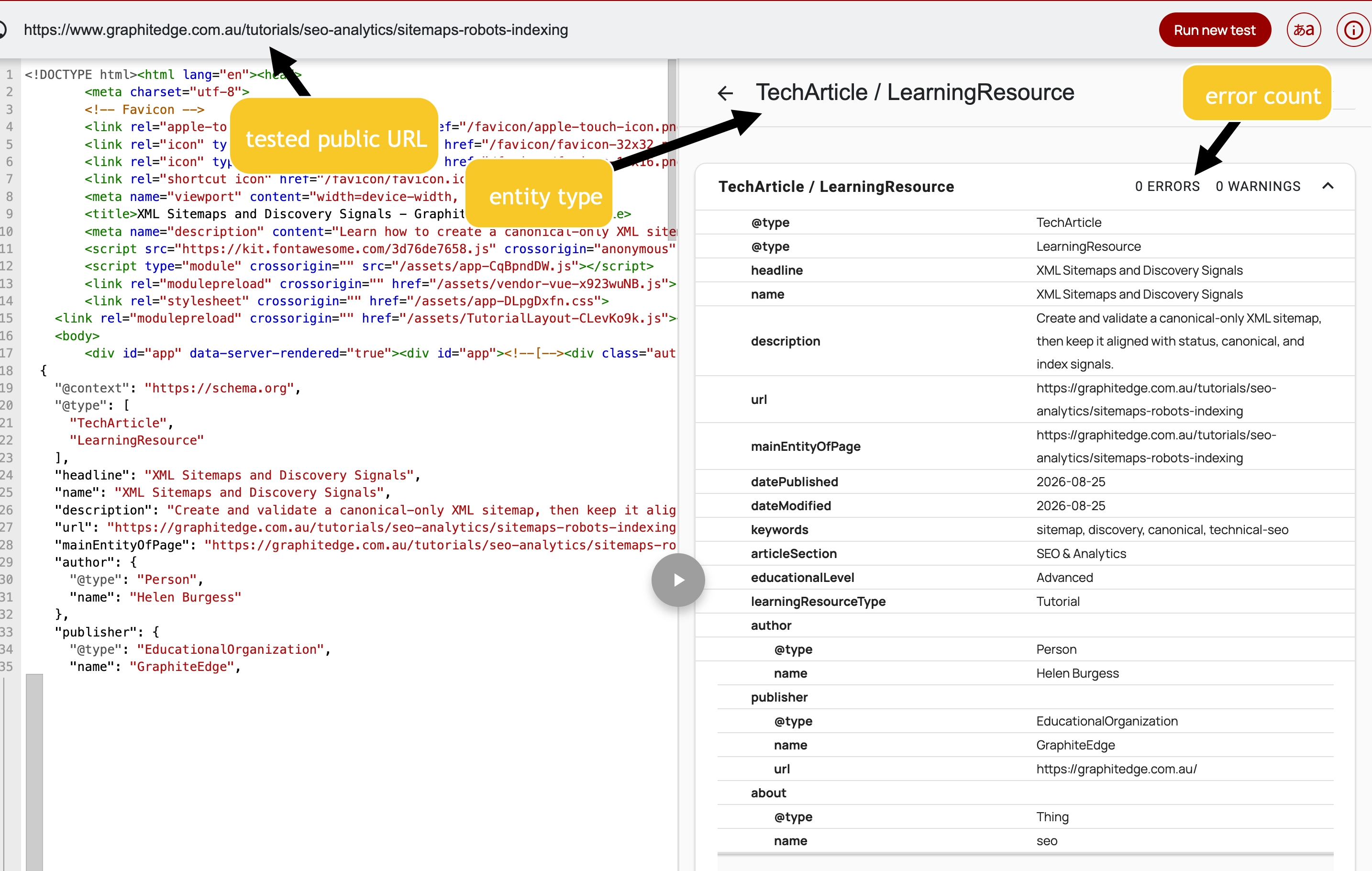
The validator confirms that the structured data parses without errors or warnings. Validation does not prove that the claims are accurate or that a search feature will appear.
View full-size Schema Markup Validator image
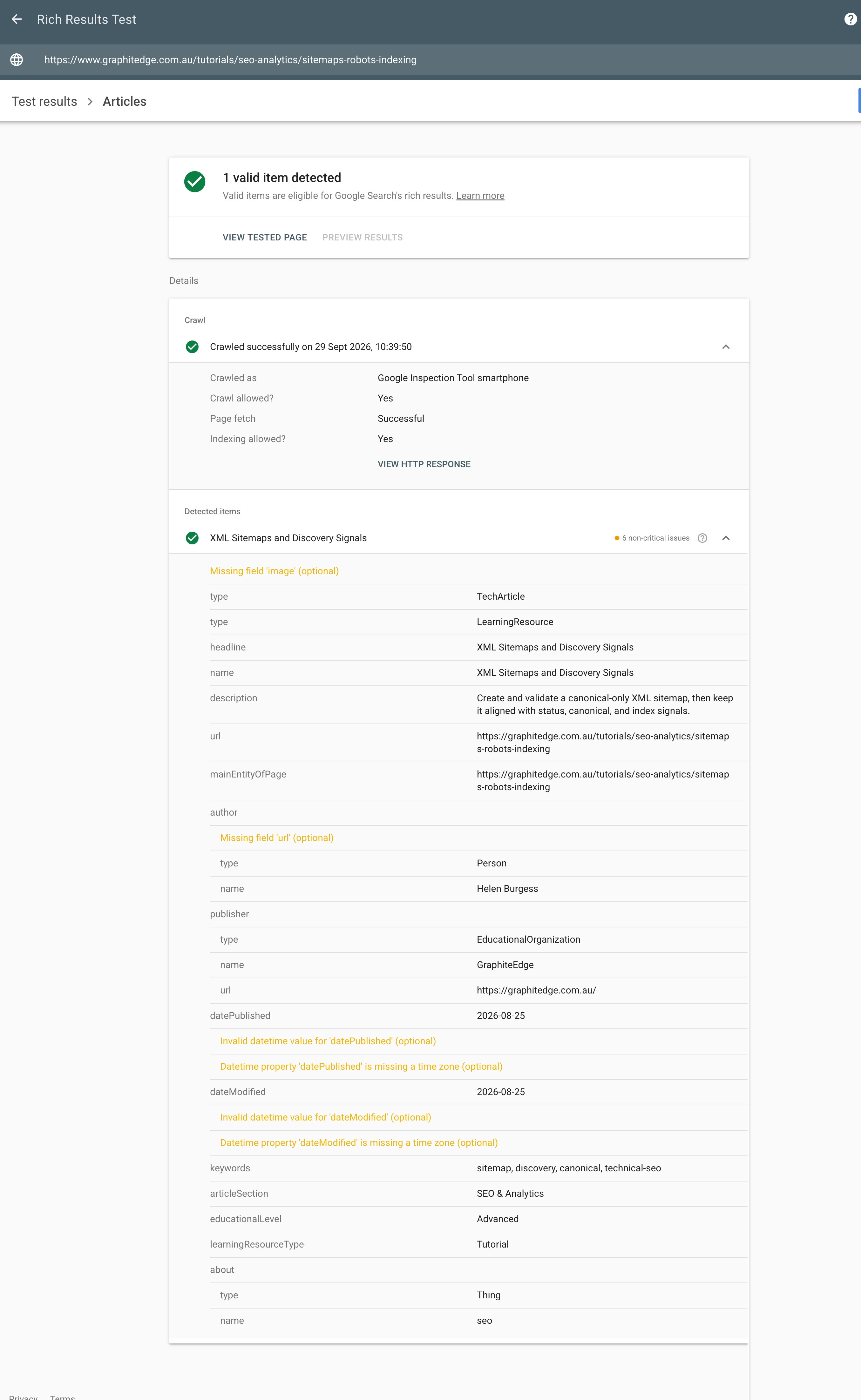
The Rich Results Test found one valid item, while also reporting optional fields and date-format issues. A valid item is not a guarantee that Google will show a rich result.
Maintenance Is Part of Accuracy
Structured data can quietly become wrong. Opening hours change, events pass, prices move, authorship changes, URLs migrate, and images are replaced.
Before adding a property, decide where that fact will be maintained. Good sources include the same content registry, CMS field, route metadata, or business data source that renders the visible page. Riskier sources include hand-coded JSON-LD copied between pages, hard-coded dates, or claims added only for a test.
Use this rule: if the visible page changes, the structured data should change through the same workflow or an obvious nearby workflow. Otherwise the markup will eventually disagree with the page.
Check Your Understanding
Before moving forward, can you answer these?
- 1. Does valid JSON prove rich-result eligibility?
- 2. Can structured data include reviews visitors cannot see?
- 3. Does a passing rich-results test guarantee display?
Check Your Answers
- No. It only proves syntax. Vocabulary and search-feature rules are separate gates.
- No. Markup should match visible, accurate page content.
- No. It can indicate eligibility, not guarantee search presentation.
How confident are you with this concept?
Still confused | Getting there | Got it | Could explain it to a friend
Guided Practice
Build and validate a small JSON-LD block.
Step 1 - Inventory visible facts
List the page's main entity and the facts a visitor can verify.
Step 2 - Choose a type
Inspect Schema.org definitions. Choose the most specific honest type.
Step 3 - Check feature support
Review Google documentation if you are targeting a supported rich-result feature.
Step 4 - Write minimal JSON-LD
Use accurate canonical URLs and required properties only when the facts are available.
Step 5 - Validate and compare
Run a syntax check, Schema Markup Validator, and Rich Results Test when relevant. Compare every property with visible content.
Step 6 - Plan maintenance
For each property, record where the fact comes from and who or what process would update it.
Independent Practice
Create a structured-data evidence pack.
Your Task:
Create a structured-data evidence pack.
Requirements:
- entity inventory
- JSON-LD
- validator results
- visible-content cross-check
- eligibility statement without display promises
- maintenance source for important properties
Success Criteria:
| Criteria | You've succeeded if... |
|---|---|
| markup is accurate and visible-content aligned | Completed clearly and correctly in your solution. |
| warnings and errors are interpreted separately | Completed clearly and correctly in your solution. |
| no business facts are invented | Completed clearly and correctly in your solution. |
| the JSON-LD can stay accurate when page content changes | Completed clearly and correctly in your solution. |
Before you continue
- I can separate syntax, vocabulary, and feature eligibility.
- I can choose an honest Schema.org type.
- I know structured data must match visible content.
- I will not promise rankings or rich-result display.
Closure
Key Takeaways:
- distinguish Schema.org vocabulary from search-engine rich-result eligibility
- select a specific type that matches the page's main visible entity
- write maintainable JSON-LD with accurate URLs and required properties
- test syntax, vocabulary, and Google feature eligibility separately
- recognise misleading, hidden, stale, or incomplete markup
Learning Objectives Review:
Look back at what you set out to learn. Can you now:
- distinguish Schema.org vocabulary from search-engine rich-result eligibility Check!
- select a specific type that matches the page's main visible entity Got it!
- write maintainable JSON-LD with accurate URLs and required properties Can explain it!
- test syntax, vocabulary, and Google feature eligibility separately Could teach this!
- recognise misleading, hidden, stale, or incomplete markup Check!
If you can confidently answer "yes" to most of these, you're ready to move on!
Think & Reflect:
Pause and reflect
- Which idea from this lesson now feels practical rather than abstract?
- What would you build or test next to make this stick?
Looking Ahead:
Structured data helps machines interpret the facts already visible on the page. Every property should match something a visitor can verify.
Recommended Next Steps
Continue Learning
Ready to move forward? Continue with the next tutorial in this series:
Search Console, Bing Webmaster Tools, and DiagnosisRelated Topics
Explore these related tutorials to expand your knowledge:
Additional Resources
Deepen your understanding with these helpful resources:
- Schema.org getting started - The shared vocabulary foundation for structured data.
- Google structured-data introduction - Google guidance on structured data and supported search features.
- Google general structured-data policies - Policies requiring accurate, visible, non-misleading markup.
- Google structured-data testing tools - Official testing tools for syntax, feature eligibility, and troubleshooting.